
Registration at Wildzy — Account Setup and Verification

Wildzy registration gives you access to casino games, sportsbook markets, deposits, withdrawals, bonuses, and account security tools. You must create account details before you can place a casino bet or sports wager. Your personal information must match your documents because verification can be required before withdrawals. Enter your name, date of birth, address, email, and phone data with care. Use the Wildzy register button to start.

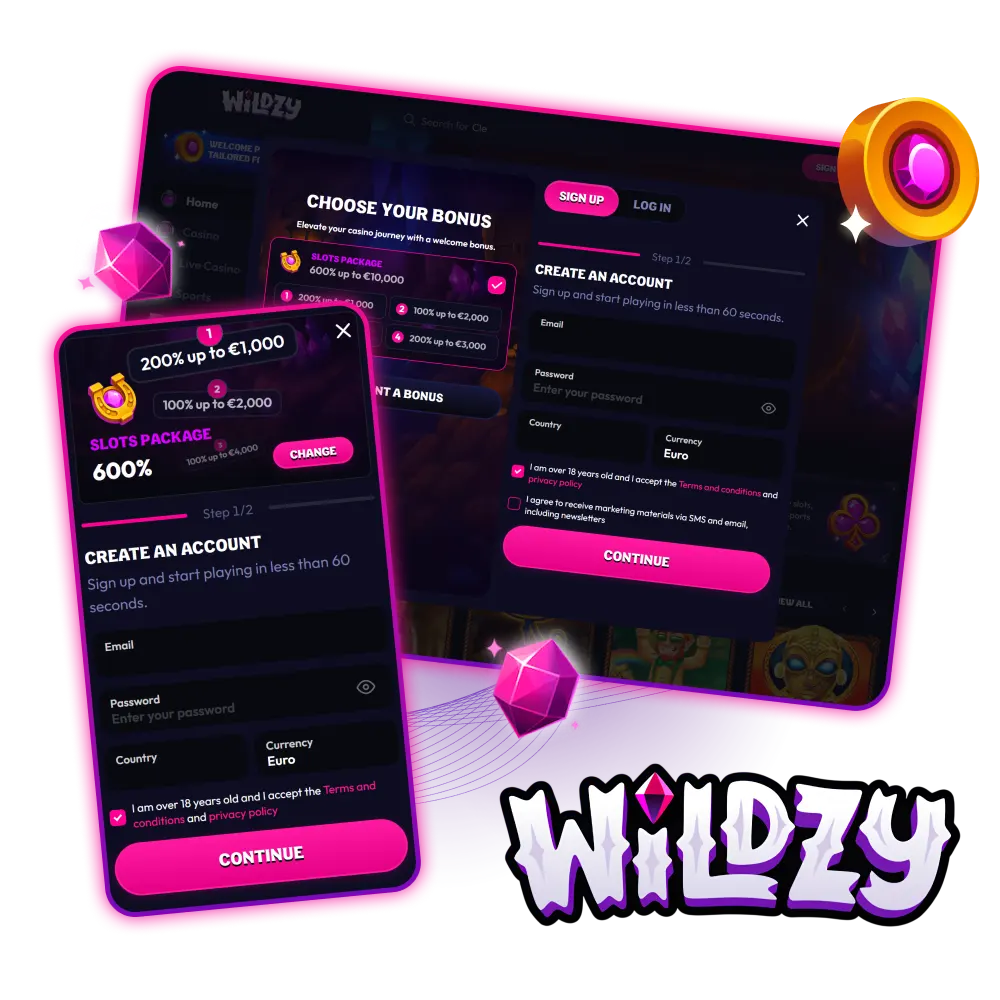
Choose the welcome bonus you like and make your gaming experience at Wildzy even more enjoyable.

Create Your Wildzy Account Easily

This guide covers the Wildzy sign up process used on the website in 2026. The registration form creates one new account for casino play, sports betting, payments, bonuses, and verification.

Follow each step in order. Account details entered during registration cannot be changed after registration according to the account information provided.

1

Open the Wildzy Website

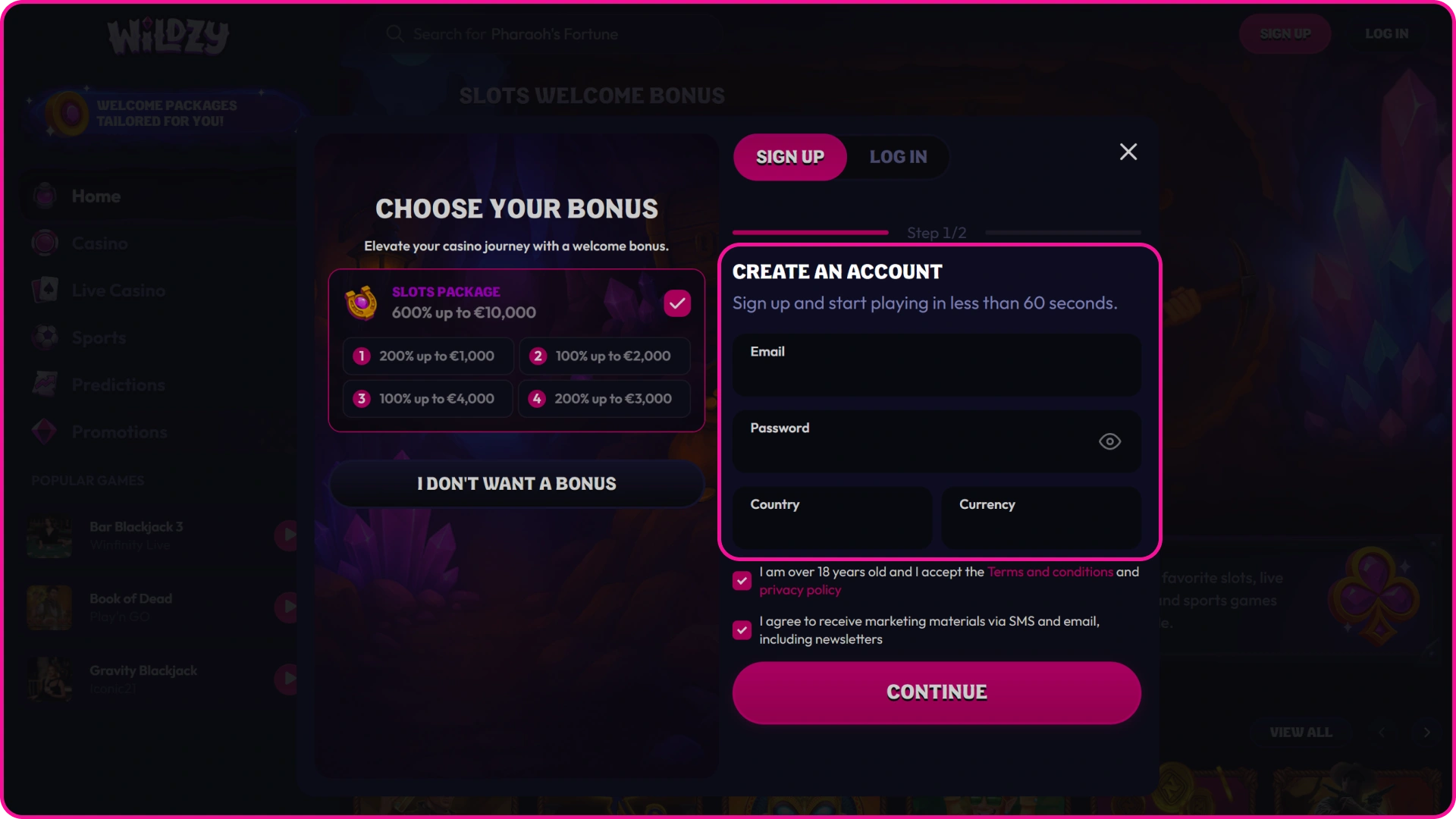
Click the registration button on the Wildzy website to start setting up your profile.

Open the website and select the registration button in the header. The Wildzy register online form opens in the browser and keeps you on the same platform.

2

Go Through the Registration Process

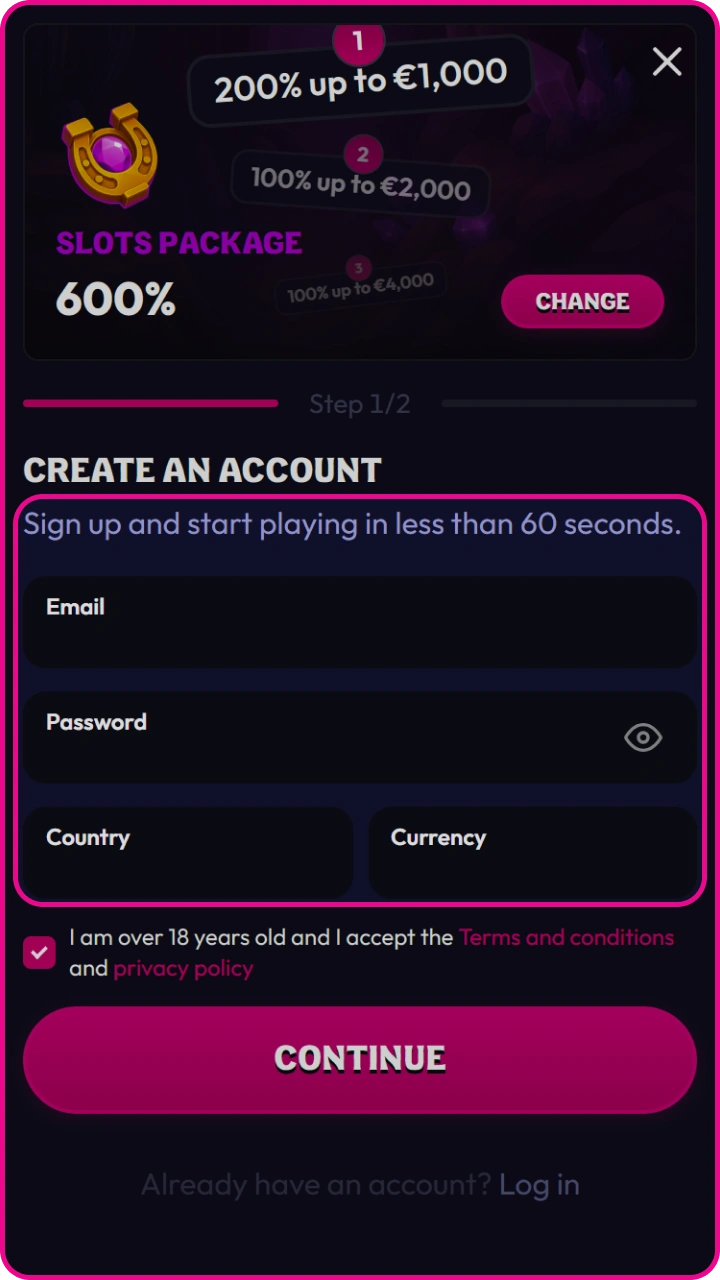
Fill out the short registration form on Wildzy to receive a welcome package.

Complete the registration form with the personal and contact fields shown on screen. The account setup uses details such as name, date of birth, address, email, phone number, username, password, country, and currency where these fields appear in your form.

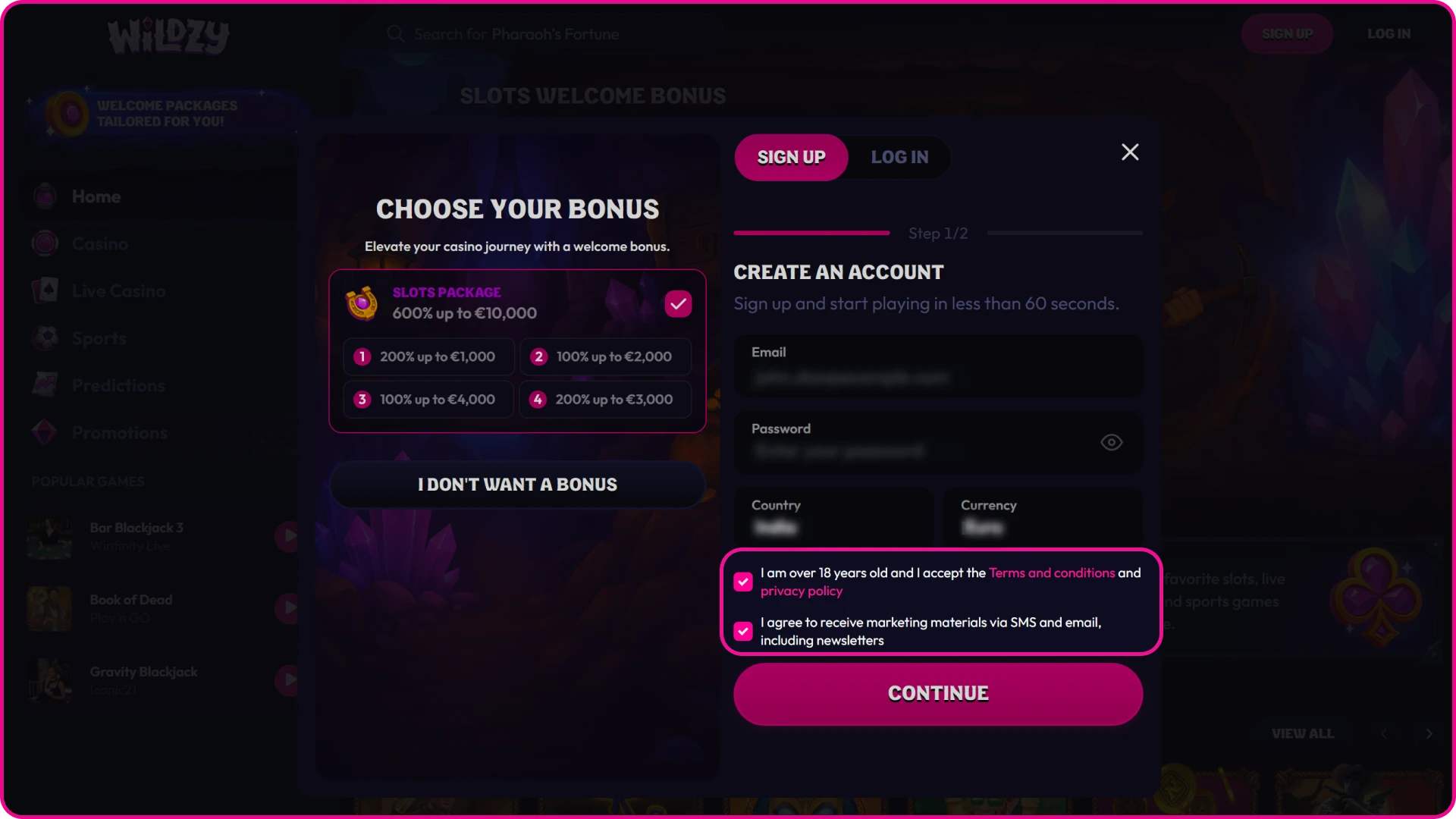
3

Confirm Your Age and Accept Terms

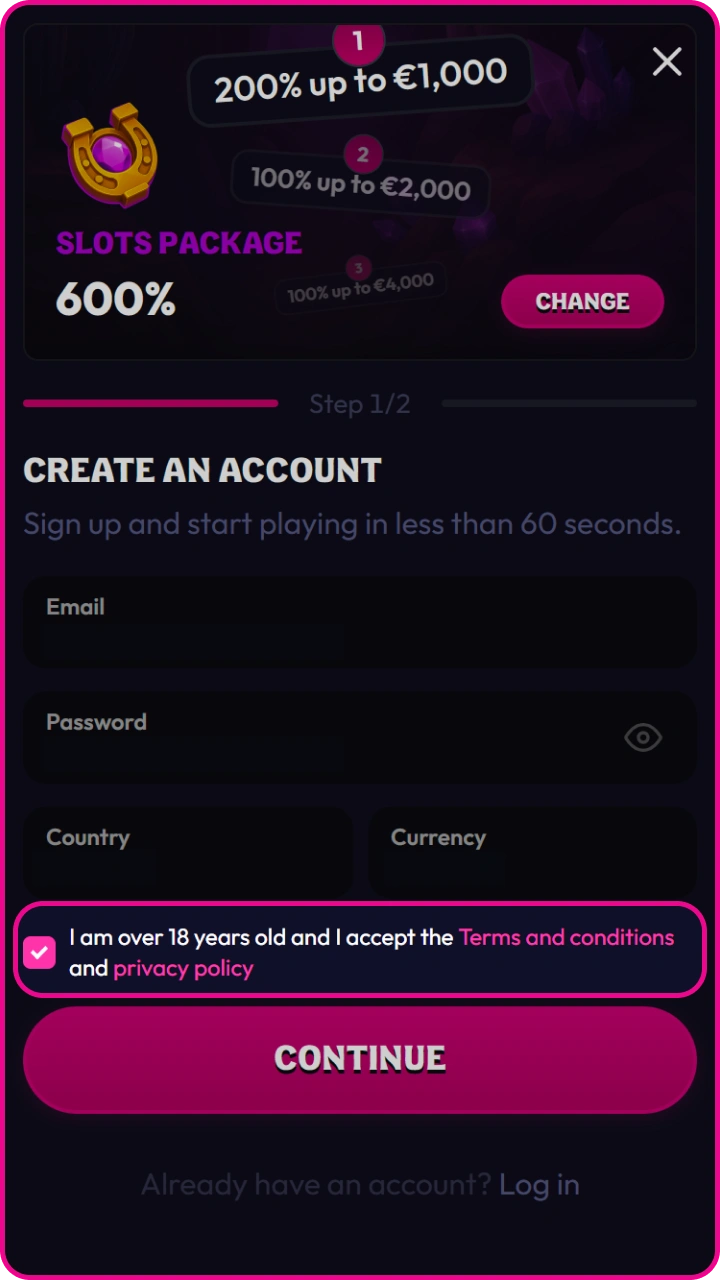
Check the consent box to securely complete the creation of your Wildzy mobile account.

You must confirm that you meet the minimum gambling age shown in the Wildzy terms. You must also accept the Terms and Conditions and the privacy rules before the account can be created.

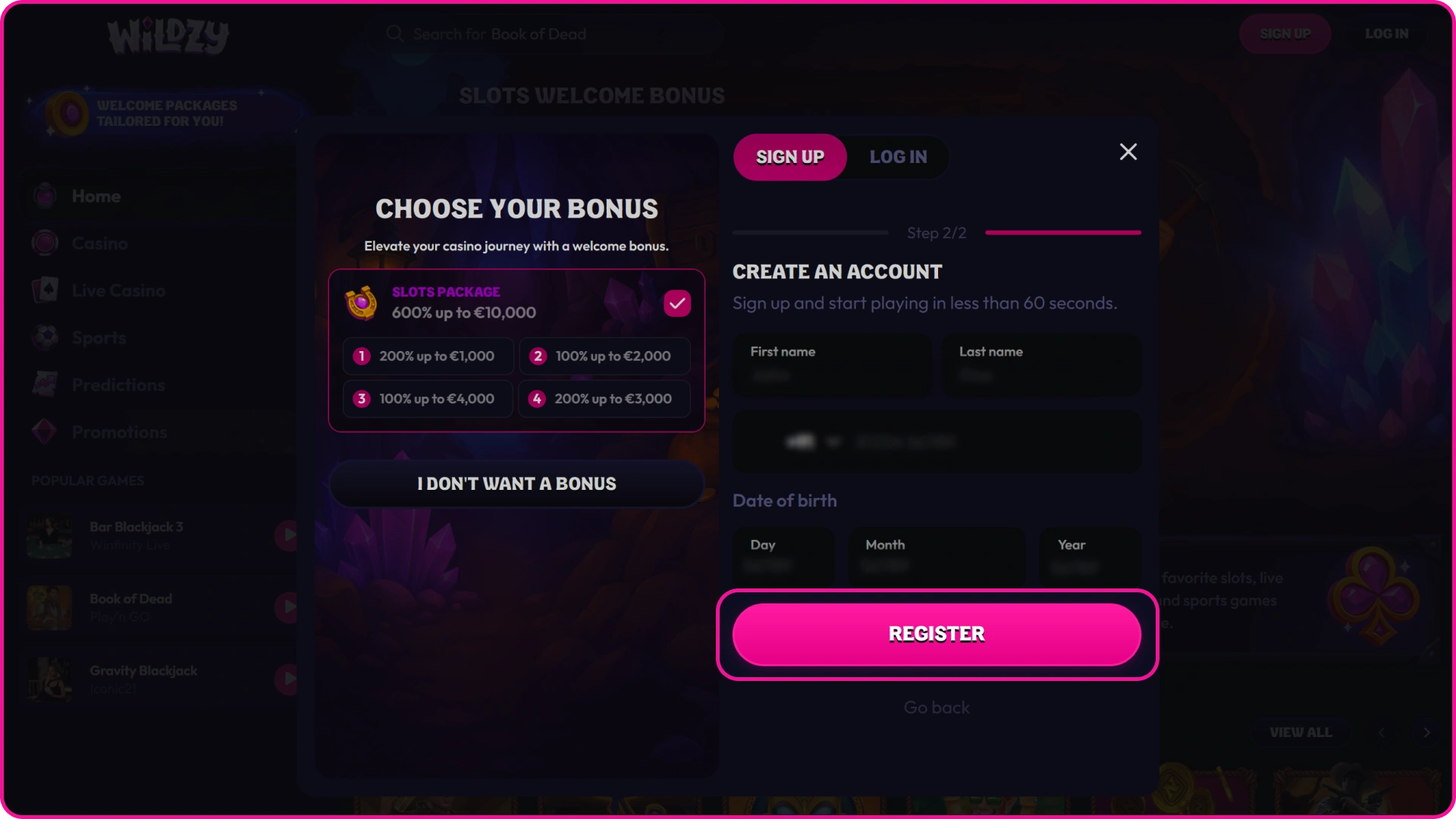
4

Complete the Registration

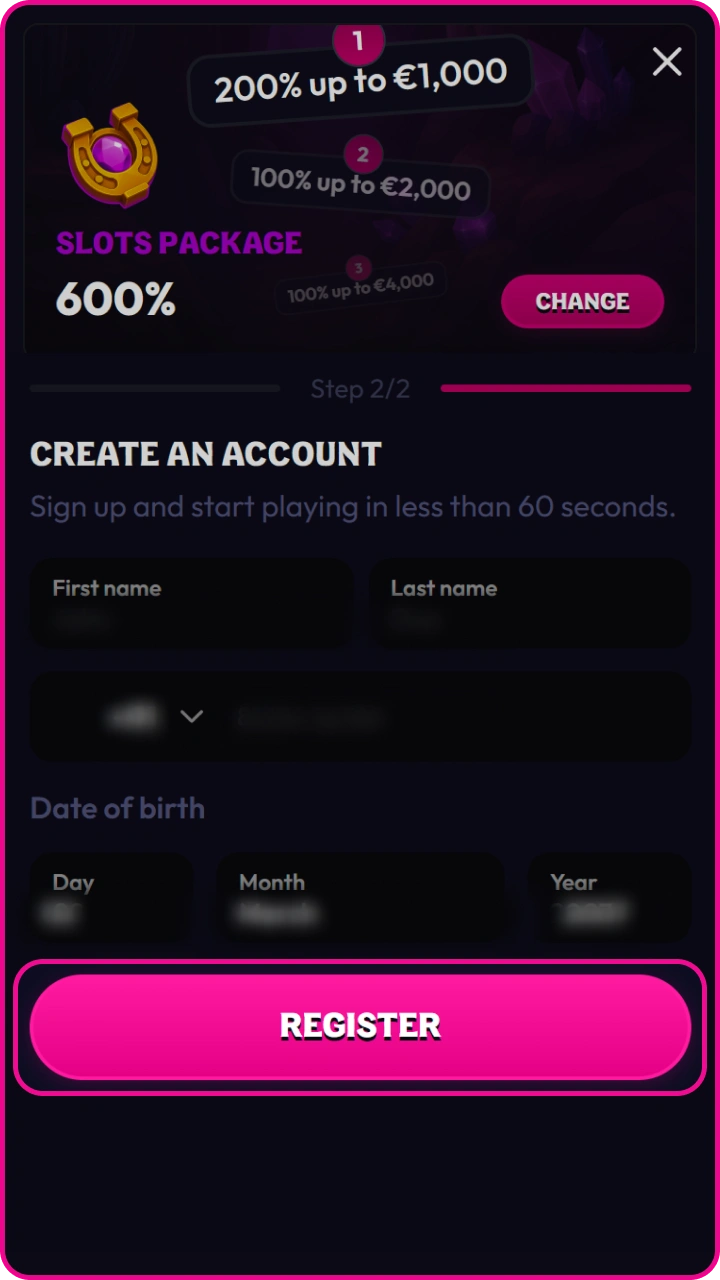
Finish setting up your Wildzy account and start discovering thousands of the best casino games.

Select the final registration button after all required fields are filled. Use your legal name and current address because verification checks compare your account profile with your documents. Your email and phone number must be active because they can be used for account notices and security checks. Account details entered during registration cannot be changed after registration according to the provided account information.

Register via Mobile App

Signing up with the Wildzy app is faster and easier than using the mobile site. It only takes a couple of minutes to fill in your details and start enjoying all the available games and bonuses.

Benefits of registering from mobile:

  • Faster process: complete your registration in just a few steps, no computer needed.
  • Auto-filled details: your browser or app can autofill fields like email or password, saving you time.
  • Instant verification: confirm your account right away from the same device where you receive the verification email or SMS.
  • Straight to the action: once your account is created, you can deposit and start playing without switching devices.
  • Available anytime, anywhere: sign up wherever you are, without needing to be at a computer.
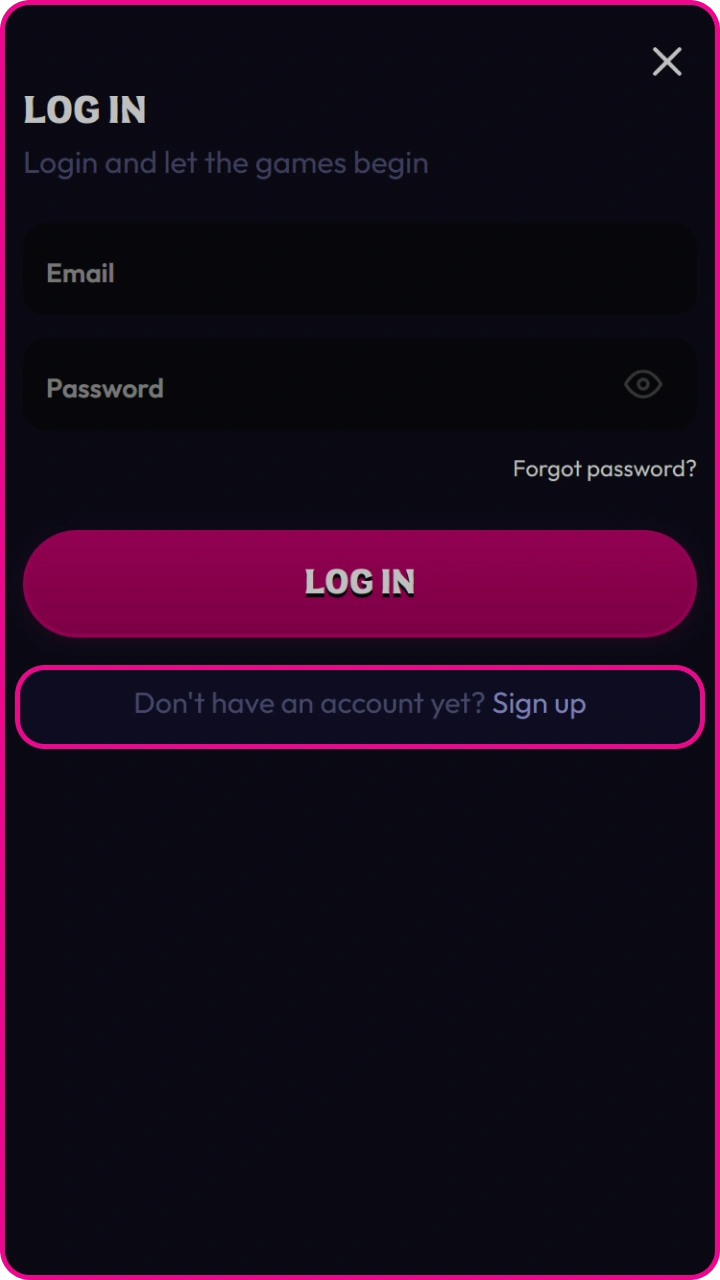
1

Open the App and Tap “Sign Up”

Tap the sign-up option in the Wildzy mobile app to create a new profile.

Use your mobile browser and open the Wildzy website. Tap the registration button in the mobile header to open the sign up form.

2

Filling Out the Registration Form

Fill in the basic registration details in the Wildzy app to receive exclusive welcome rewards.

Enter the required personal, contact, login, country, and currency details shown in the mobile form. Use the same legal data you will provide during verification.

3

Confirm Your Age and Accept the Terms

Accept the terms to securely complete the creation of your mobile account on Wildzy.

Confirm that you meet the minimum gambling age stated in the Terms and Conditions. Accept the required terms before you submit the mobile registration form.

4

Completing the Registration

Tap Continue to easily complete the Wildzy registration process on your mobile device.

Submit the form after every required field is complete. After successful Wildzy registration online, you can sign in, visit the cashier, check bonus offers, and complete verification if requested.

Bonus for Wildzy New Players

New players can view the welcome offer after they create account access and sign in. Bonus activation, deposit rules, wagering, expiry, and eligible games are controlled by the promotion terms shown in the cashier and promotions area.

Slots Welcome Package 600% up to EUR 10,000

The promoted Slots package is listed as 600% up to EUR 10,000 for eligible new players. Check the promotion page before your deposit because minimum deposit, wagering requirements, expiry period, game contribution, and bonus activation rules apply to the offer shown in your account.

How to Complete Verification and What Documents Are Needed

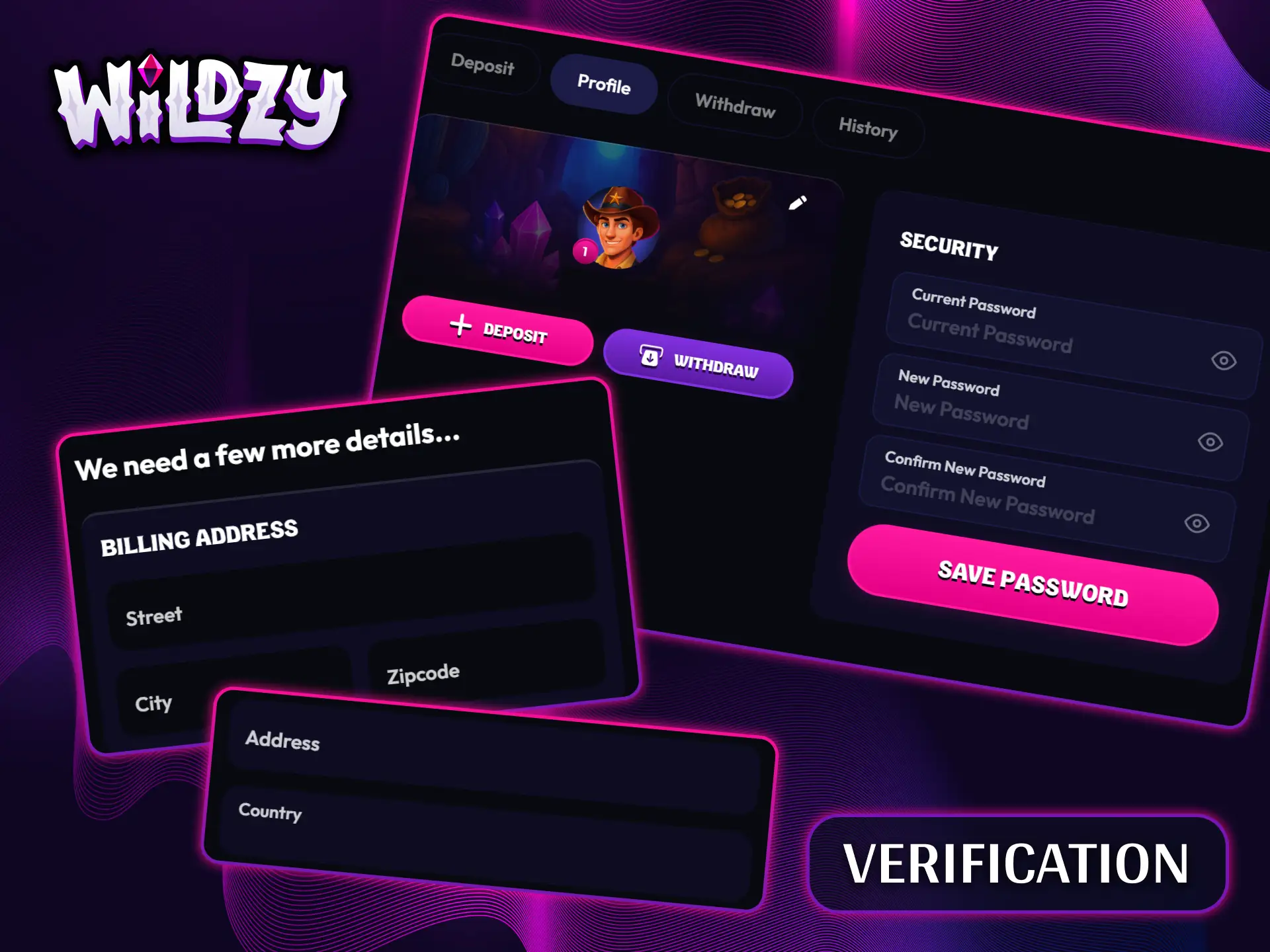
Wildzy can request verification under its KYC and account security rules. You complete verification by sending the documents requested in your account or by support. The review can include proof of identity, proof of address, and payment method ownership. Accepted proof of identity can include a passport, national identity card, or driving licence. Proof of address can include a bank statement or utility bill showing your name and address.

Complete a quick and simple account verification to unlock access to all Wildzy features.

Wildzy Login Process

The login process uses the account credentials created during registration. Use the same email or username and password linked to your new account.

1

Open the sign in form.

In just a few seconds, head to the secure Wildzy login page and start playing your favorite games.

Select the login button in the website header to open the account access form.

2

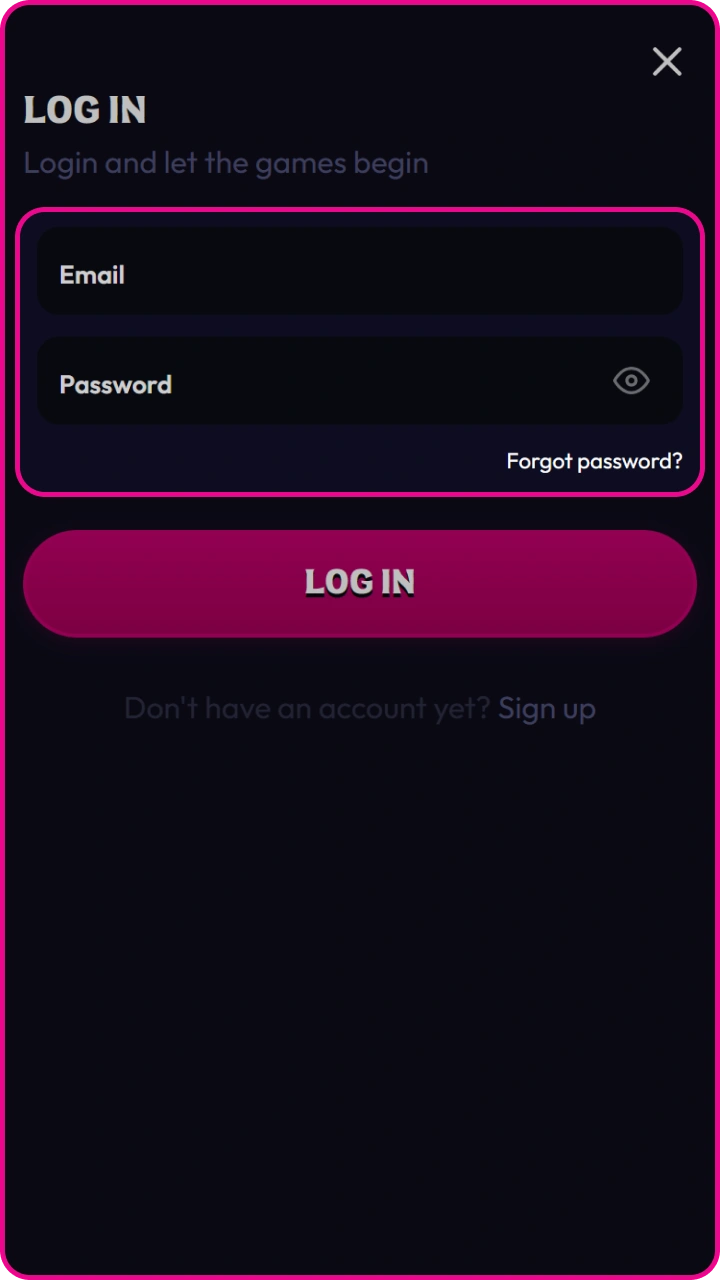
Enter your credentials.

Enter your email address and password to log in to your Wildzy account.

Type the email or username and password registered to your Wildzy account.

3

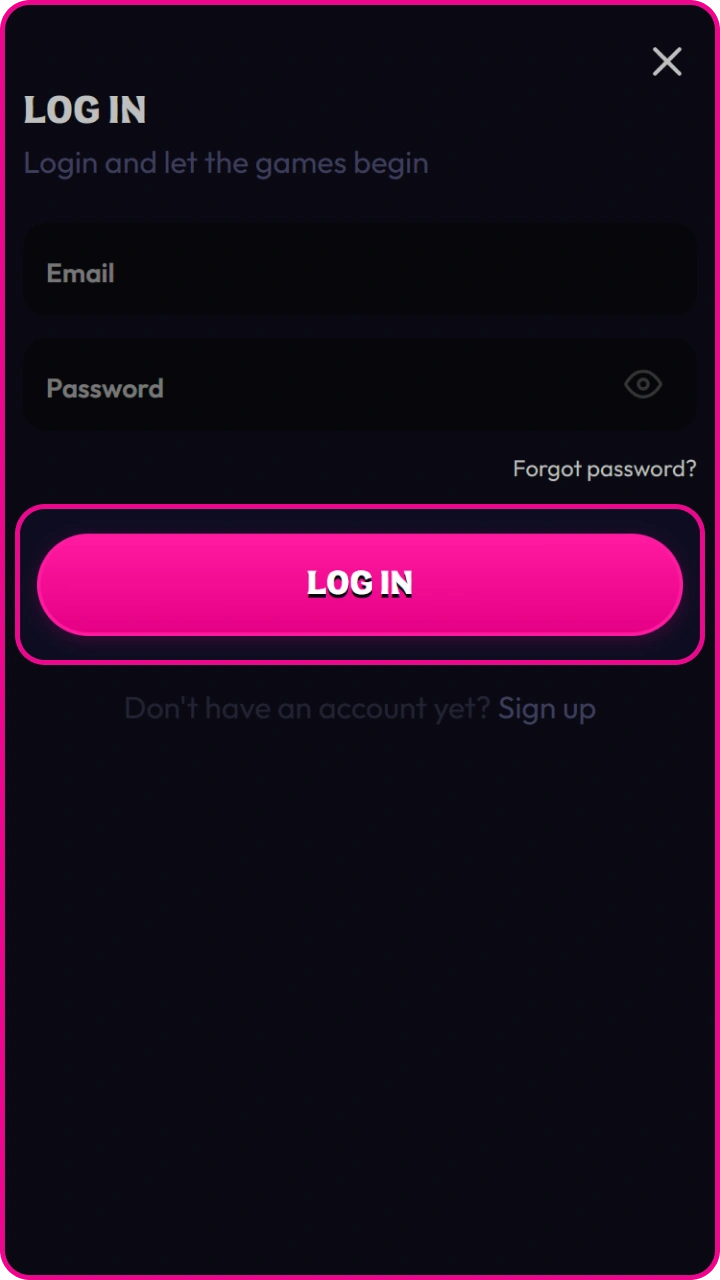
Access your account.

Confirm your account login details to start playing for real money at Wildzy right away.

Submit the login form to reach your balance, cashier, bonus area, sportsbook, casino lobby, and verification notices.

Registration Requirements and Conditions

Wildzy registration requires accurate personal data and acceptance of the Terms and Conditions. The account rules apply before deposits, bonuses, casino play, sports betting, and withdrawals.

  • You must meet the minimum gambling age stated in the terms;
  • You must register only 1 account per person;
  • You must provide accurate name, date of birth, address, email, and phone details;
  • You must accept the Terms and Conditions and privacy rules;
  • You may need verification before withdrawals or account changes.

How to Recover Wildzy Account

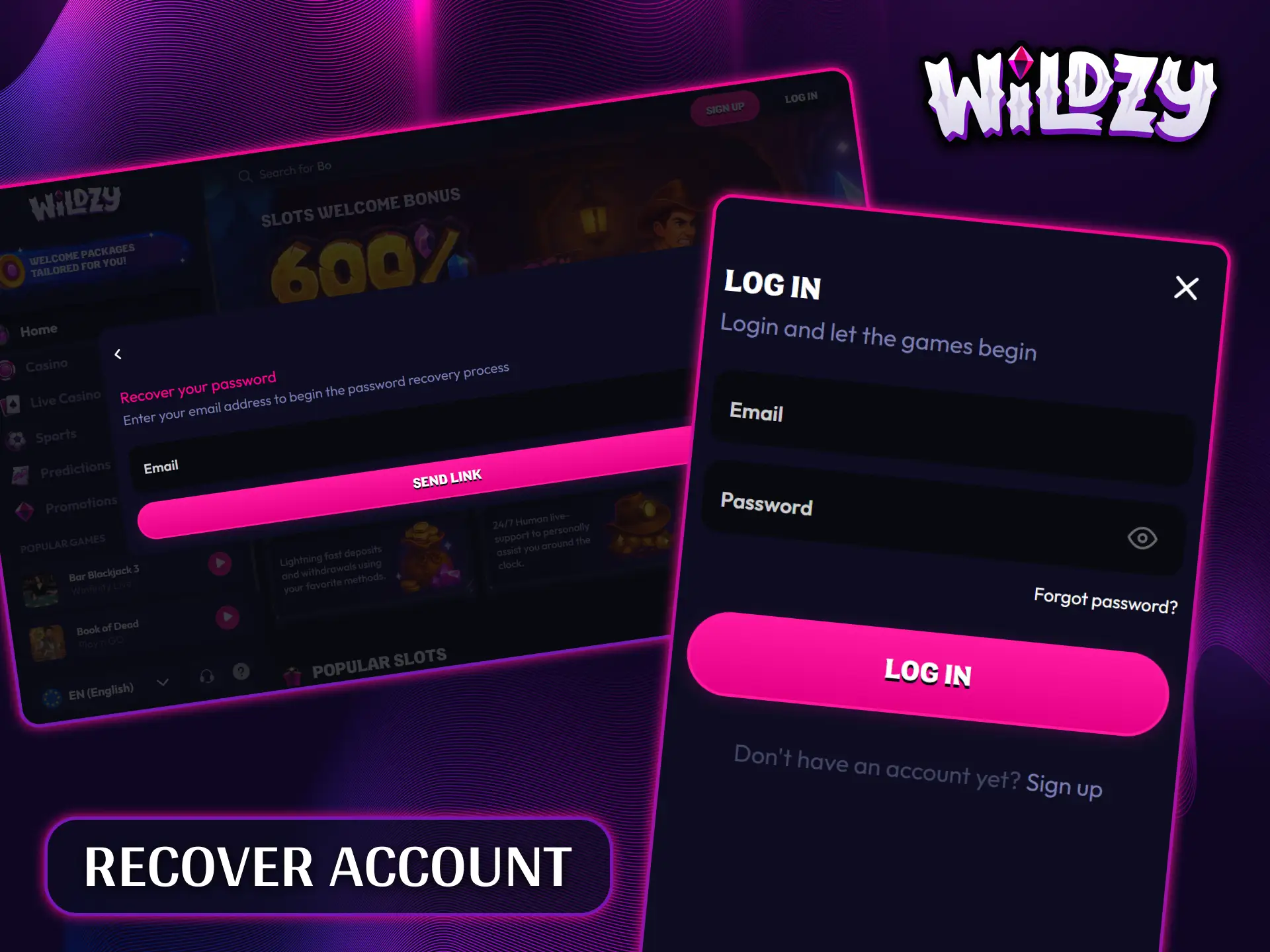
Use the password reset option on the login form if your password no longer works. Enter the email address linked to your account and follow the reset instructions sent to that address. Wildzy may request identity checks if the account has security alerts or payment activity. Use the same email used during registration to avoid a recovery problem.

Quickly reset your forgotten password and regain full access to your Wildzy account.

Tips for Beginners

After registration, check your account profile before your first deposit. Set your limits, review bonus terms, and confirm that your payment details match your account data.

Secure Your Login

Use a unique password for your Wildzy account. Store it in a password manager and update it if you receive any security notice.

Check Bonus Rules Before Deposit

Open the active promotion terms before claiming a bonus. Review wagering, expiry, minimum deposit, maximum bet, and eligible games before you play.

Complete Profile Data Early

Keep your name, date of birth, address, email, and phone details accurate. Verification is faster when your profile matches your identity and address documents.

Use Responsible Gambling Tools

Review available limit tools before casino play or sports betting. Set deposit, loss, wager, or session limits where the account menu provides these controls.

Test Payments With One Method

Use one payment method in your own name for the first deposit and withdrawal. This can reduce extra payment ownership checks during verification.

How to delete the account

You cannot delete a Wildzy account directly through the account menu. Contact customer support and request account closure. Support may ask for account identification before closure is processed.

F.A.Q

I have forgotten my password. How to reset it?

Select “Forgot Password” on the login page and follow the instructions to create a new password.

Can I have multiple accounts?

No. Only one casino account is allowed per user. Creating multiple accounts may result in account restrictions.

How can I change my casino account details?

Open your account settings and edit the available personal details. If a detail cannot be changed, contact customer support.

I’m having technical issues with my casino account. Who should I contact?

Contact customer support through the available support channel. Provide a description of the issue and any relevant error message so the team can assist you.

Mobile access without a native app

Use the mobile website if no native app download is provided in your account flow. The browser version supports registration, login, cashier access, casino games, sportsbook markets, and account notices.

Updated: